
Remote working has swept across the world and workplaces everywhere are still adjusting. With many companies now fully remote or switching to hybrid arrangements, the flexibility to work remotely has created a wonderful world of freedom and possibilities for many people. But are you equipped for it? Whether you are working at home, in a coworking space, at a coffee shop or on a beach somewhere exotic, having a good laptop is essential for productivity. This handy guide compiles the best laptops for working remotely in 2026 to help you choose the right machine for your needs and budget.
This article contains links to products we love, from which we may make commission at no extra cost to you.
What features do you need in a laptop for working remotely?
Perhaps you’ve already been working remotely for years, and you’re looking to upgrade your old machine. Or maybe you’re new to this, and you need to equip yourself for your newfound freedom from office life, or for a workation you are planning.
Whichever it is, there are several things to consider when choosing a laptop for remote working in 2026.
Weight and size
If your remote-working lifestyle involves travelling and moving around a lot between workspaces, then a lightweight laptop that isn’t too bulky will make your life a lot easier. Lisa and I both use 13-inch laptops, and we find that’s just around the sweet spot for remote working.
It’s an ample enough screen size for working with images and documents, but still fairly compact, and nicely portable for journeys. Our laptops both weigh in around the 1.3kg mark. If you plan to travel a lot, we would suggest a laptop below 1.5kg.
Battery life
When working remotely, you may not always be in close vicinity of a power source. Whether it’s a long bus journey, a plugless waiting room or a disconnected day on the beach, you will probably encounter situations when you will need a decent amount of battery life to get some work done. Eight hours of battery life is a good minimum threshold to aim for.
Functionality and speed
Most of us have different needs when it comes to how we use a laptop for work. Think about the core functions you need to get your job done, and make sure that the laptop you buy will be able to handle them.
For example, do you do a lot of video conferencing? Do you work with images, videos and graphic designs? Or do you mainly use a laptop for writing and editing documents, analysing data and sending emails?
The answers to these questions will dictate the functionality you need in a laptop. If you work with design software and use heavy files, then you will need a faster processor than if you are just editing documents or working with spreadsheets. For simple tasks, a dual-core processor should do the job, but for more intensive work then a quad-core processor or higher is ideal.
A webcam is an essential feature if your work involves video conferencing. It’s probably a good idea anyway, especially if you are travelling from place to place and want to connect with family and friends.
“Think carefully before squeezing the pennies too tightly on a laptop. It can easily turn out to be a false economy.”
RAM and storage
The processor is not the only consideration when it comes to the power and performance of your laptop. RAM is also crucial, as it dictates how much information your machine can handle simultaneously.
If you’re just browsing the internet and sending emails, 4GB should be sufficient. But if you are using design software or editing videos and photos, 8GB is more suitable. For more intensive tasks, you may need to look at 16GB and upwards.
For storage, it mainly comes down to your usage needs. In terms of performance and usability, SSD storage has replaced the old-school hard disk drives.
I find that 256GB SSD storage is more than enough when using my laptop for editing photos, occasionally using InDesign, and regular stuff like browsing the web and checking emails.
There’s always the option to use external storage too – we use Amazon Photos to back up all our old photos.
Usability
When you’re always on the go, a laptop that is easy to use and requires minimal faffing around will help you stay stress-free and get more done.

Good ergonomics are a big factor in the quality of a laptop. Look for a keyboard with a comfortable layout and space between the keys, and with backlighting so you can use it in the dark if needed.
Depending on your style and needs, you may want to opt for a 2-in-1 laptop. These have touch screens can be used as either a laptop or tablet, as the screen can be turned fully around. Lisa has one of these, and it’s great for switching to tablet mode for a train journey, or on the sofa at home.
Connectivity
It’s likely you will want to connect other devices to your laptop, whether it’s a camera or a monitor or headphones or something else. You can always buy adaptors, but it can get clumsy and messy, so it helps if your laptop has the ports you need already built in.
A couple of USB ports as a minimum is a good start, and an SD card slot is very helpful if you want to transfer photos frequently. Something else to bear in mind is that WiFi 6 launched in 2019, with speeds nearly three times faster than WiFi 5.
It’s not essential yet, but certainly a bonus if you can stretch to a new machine that is compatible with this next generation of WiFi. May 2024 is the scheduled launch timing for WiFi 7.
Price
Finally, everybody has to work within a budget, and wherever yours lands will obviously affect the spec of laptop you can afford. Few people have unlimited budgets, and you will probably need to make trade-offs and compromises.
However, think carefully before squeezing the pennies too tightly on a laptop. It can easily turn out to be a false economy. If you can stretch your budget, a faster laptop may help you to be more productive in your work. Then you will end up with more money in your pocket or more free time on your hands to enjoy.
What laptop spec do you need for working remotely?
Bringing together all these considerations, if you’re still unsure, you can use the following suggested spec for guidance when choosing a laptop for working remotely. It’s based on my own workload, which is mainly general usage plus a bit of design work and photo editing. This can be used as a benchmark when looking for an all-round laptop:
- Screen size: around the 13″ mark is ideal
- Weight: lower than 1.5kg
- Processor: Core i5, Ryzen 5 or better
- RAM and storage: 8GB RAM, SSD 256GB storage
- Battery life: 8 hours minimum
Best laptops for working remotely in 2026: our picks
1. MacBook Pro
- Processor: Apple M5 chip with 10-Core CPU
- RAM: up to 32GB
- Weight: 1.6kg
- Battery life: up to 24 hours
- Pros: fast performance, sleek usability with versatile touch bar, keyboard and trackpad, beautiful high-resolution display, amped up graphics and AI capability
- Cons: the cons that I have for my 2020 version Macbook Pro (only 2 USB ports and no SD slot) have been resolved in the 2025 version, which has 3 Thunderbolt 4 USB ports and 1 SD slot
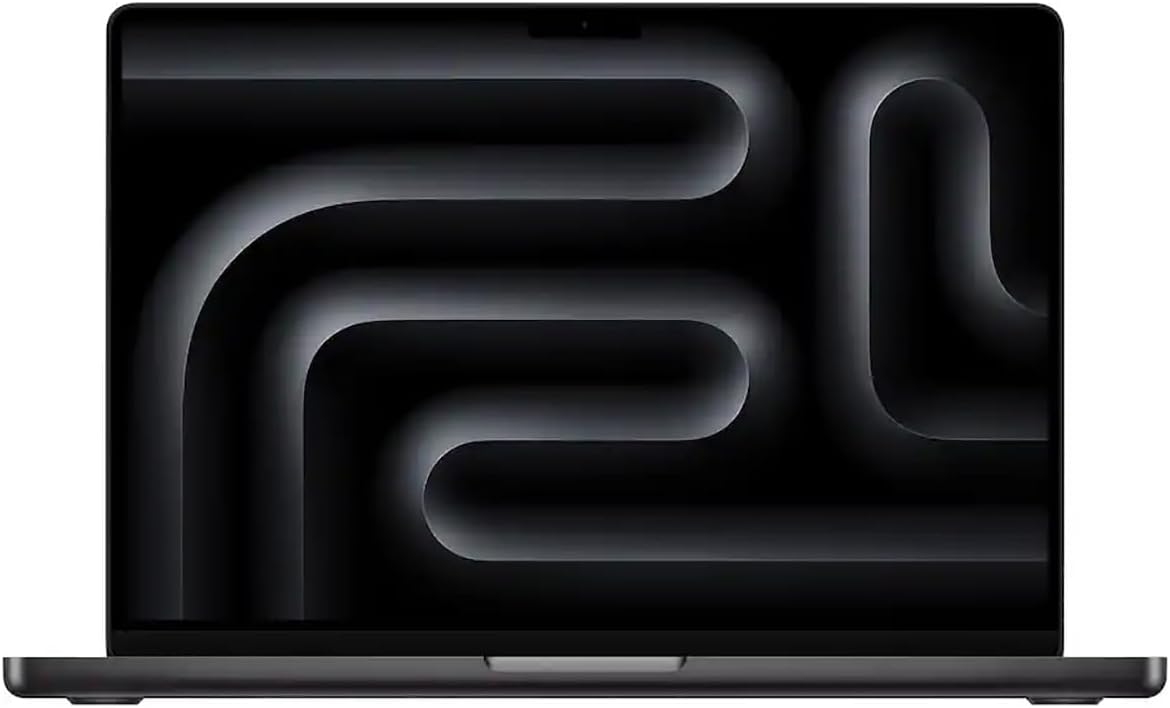
We begin our compilation with the laptop I use personally for remote working – the MacBook Pro. I find this to be a powerful all-round laptop that is easy to use (I love the iOS operating system!).
MacBooks are definitely a favourite among remote workers around the world – they probably account for more than half the laptops I see whenever I go to coworking spaces. I use the 13-inch version of the MacBook Pro.
After upgrading from my 2017 model, I have been using the 2020 base mode for a long while now, without having needed to change it. These are durable machines. My model has a 1.4 GHz quad-core Intel i5 processor, 8GB RAM, and SSD 256GB storage.
The latest 2025 versions are more efficient, featuring Apple’s M5 chip, which was launched in 2026, with a 10-core CPU, up to 32GB RAM, and upgraded graphics with AI support. Battery life now stretches to 24 hours, and connectivity has improved with three Thunderbolt 4 USB-C ports and an SD card slot.

I have the 13-inch version, which strikes a great balance between usability and portability. The touch bar, which has been a feature for a decade now, adds extra usability. While I’ve had a few nicks and scrapes with it, the MacBook Pro is still my go-to laptop for working remotely. It performs well, is beautiful to use, and does everything I need it to. Well worth the investment if your budget allows.
View prices on Amazon2. Macbook Air
- Processor: Apple M4 Chip (new version coming soon)
- RAM: up to 24GB
- Weight: 1.51kg
- Battery life: up to 18 hours
- Pros: sleek and lightweight, excellent battery life, powerful for its class, larger 15-inch screen for productivity
- Cons: only available with 256GB base storage (upgrade needed for heavy storage use), M5 version not yet on Amazon at time of writing

The MacBook Air is Apple’s slightly more affordable and ultra-portable option compared to the MacBook Pro. The latest 2025 15-inch model comes with the new M4 chip, up to 24GB RAM, and a bright, high-resolution display. While it isn’t as powerful as the MacBook Pro, it’s more than capable for remote work, multitasking, and also light creative work.
At 1.51 kg or thereabouts (don’t be confused by the weight listed on Amazon, which often includes the total package weight), it’s easy to carry around on coworking days or business trips. Battery life can stretch up to 18 hours, so you’re rarely tethered to a plug.
This model is ideal if you want a larger screen without the weight or expense of a MacBook Pro. The M5 MacBook Air just launched, but it isn’t widely available on Amazon yet. Whether you get that or the M4, it’s a great all-rounder for remote work, balancing performance, portability and style.
View prices on Amazon3. Microsoft Surface Laptop 7
- Processor: Intel Core Ultra 7 266V
- RAM: 16GB
- Weight: 1.35kg
- Battery life: up to 20 hours
- Pros: sleek and lightweight, excellent touchscreen and display, strong multitasking with 16 GB RAM, long battery life
- Cons: more expensive than comparable Windows laptops, limited SSD storage on base model, may outdate quicker than a MacBook

After some feedback from our readers, we’ve replaced the Surface Book with the Microsoft Surface Laptop 7 in our 2026 list. We hadn’t tried this machine before, but having now had a whirl we can see why it’s a sought-after model.
We love the 13.8-inch screen, which is vibrant and sharp with wide viewing angles. The 16GB oof RAM makes everything smooth whether you are switching between multiple apps, Zoom calls or working on documents. The touchscreen is also great to use, and the PixelSense display brings videos and presentations to life.
The weight is among the lowest in our list, a big plus if you are travelling with it. You can slip it into a backpack or carry it around without feeling weighed down. Combined with an impressive 20-hour battery life, it’s one of the most untethered laptops around, perfect for working from cafés, coworking spaces or even outdoors.
The Surface Laptop 7 isn’t the cheapest option out there, and the base 256 GB SSD might feel limited if you store a lot of files locally, but for most remote work tasks it’s more than adequate. Overall, it’s a polished, reliable and versatile Windows laptop that makes remote working straightforward and enjoyable.
View prices on Amazon4. Dell XPS 14 Premium
- Processor: 15th Gen Intel Ultra 7‑255H (16‑core, up to 5.1 GHz)
- RAM: 32GB
- Weight: 1.77kg
- Battery life: ~11 hours typical usage
- Pros: premium build, vivid OLED touchscreen, great multitasking performance, AI-enhanced features.
- Cons: shorter battery life than MacBooks, slightly heavier for its size.
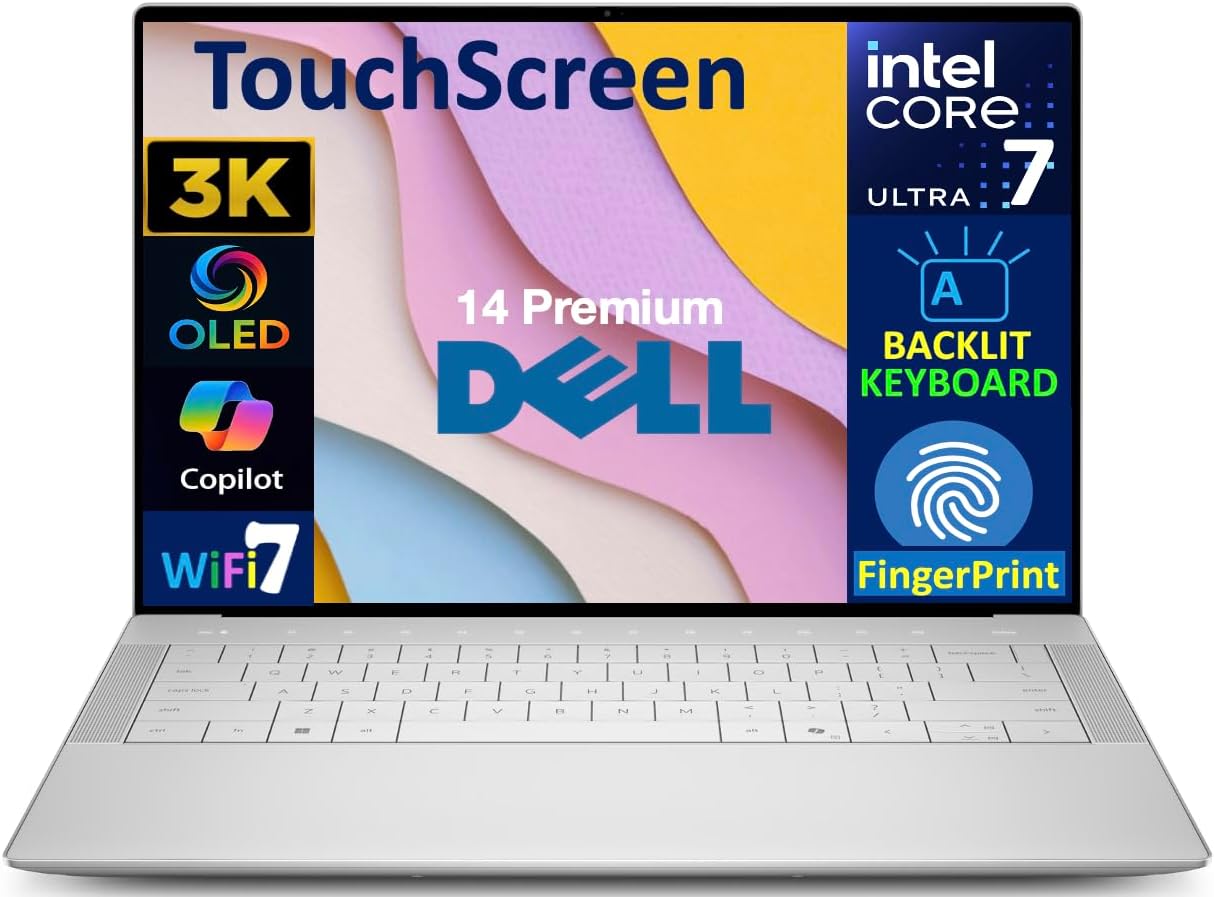
The Dell XPS 14 Premium is one of the very best MacBook alternative for Windows users right now. Its Platinum design and OLED touchscreen catches our attention. It also packs a lot of power with a 15th Gen Intel Core Ultra processor, plenty of RAM and a huge SSD, all without breaking the bank like some high-end Apple models.
This is a versatile laptop that handles everyday work with ease but is equally comfortable tackling more demanding tasks. The 14.5″ 3.2K OLED display is brilliant for movies or creative work, giving you vibrant colours and sharp detail thanks to the 120 Hz refresh rate.
Usability is also excellent, with a backlit keyboard and fingerprint reader, while Windows 11 features make it feel polished and intuitive. Overall, it’s pretty close to the experience of using a Mac.
View prices on Amazon5. Lenovo Slim 7i Aura Edition
- Processor: Intel Core Ultra 7 256V
- RAM: 16GB
- Weight: 1.29kg
- Battery life: up to 17 hours (mixed use)
- Pros: vibrant OLED display, quiet performance, good battery life
- Cons: OLED may reduce battery in heavier use, only moderate port selection

The Lenovo Slim 7i Aura Edition is a thin, lightweight laptop built that almost feels purpose-built for travellers or creators on the move. It has a 14″ WUXGA OLED screen that delivers rich, sharp images, ideal if you do creative work or just want to stream media.
Performance is smooth thanks to the Intel Core Ultra 7 CPU and 16GB of RAM. Internal cooling keeps the system quiet even during heavier use, while battery life of up to 17 hours means you typically can go all day unplugged.
The aluminium chassis feels premium and is easy to grab and go, just what you need for remote working or commuting. While it lacks a dedicated graphics card, it handles everyday tasks and creative projects easily.
View prices on Amazon6. ASUS Zenbook 14 Flip OLED
- Processor: AMD Ryzen 7 6800H CPU
- RAM: 16GB
- Weight: 1.41kg
- Battery life: 10+ hours
- Pros: lightweight, reliable, beautiful display, strong battery life
- Cons: slightly cramped keyboard design

The ASUS Zenbook 14 Flip OLED is among the cheapest of the premium laptops we highlight here. It’s a good value-for-money option if you don’t want to fork out for a MacBook, HP Envy or Dell XPS. We have used ASUS laptops a lot in the past, and always been impressed by their reliability; this model is no different.
The processing capabilities of the ASUS Zenbook 14 Flip OLED are more than adequate for multitasking between a range of everyday work. It also comes in below that magic 1.5kg mark, and so it’s a doozy for taking on working trips, or moving around frequently on the job.
In terms of connectivity the machine now offers Thunderbolt 4 ports, which is an upgrade on previous models. The ASUS Zenbook 14 Flip OLED is a solid all-round laptop that ticks all the boxes for working remotely, especially if you like to switch up your working environment a lot. The battery life is impressive, it’s light and compact, and it does the job.
View prices on Amazon7. Acer Chromebook Spin 714
- Processor: Intel Core i7-1355U
- RAM: 8 GB LPDDR4X
- Weight: 1.37 kg
- Battery life: up to 12 hours
- Pros: budget-friendly, reliable performance, convertible 360° design
- Cons: limited RAM upgrade potential, Chrome OS may not suit all software needs

We have used Acer computers a lot over the years, and they are generally very reliable machines. The Chromebook Spin 714 continues that tradition, offering strong performance thanks to its Intel Core i7 processor and Intel Iris Xe graphics. It is lightweight and portable, also affordable, making it a good option for students or remote working travellers looking to save costs.
The 14-inch 2560×1600 IPS touchscreen provides lovely clear visuals, and the convertible 360-degree hinge adds extra flexibility. You can quickly switch between laptop, tablet, tent and stand modes. It’s particularly handy for presentations, note-taking, or just reading comfortably in tablet mode.
Chrome OS keeps things fast, secure and low-maintenance. While it doesn’t support some traditional Windows applications, it’s perfect for web-based work, Google AI features and cloud productivity.
So, if you are seeking a more budget-friendly yet highly functional option, the Spin 714 offers excellent value.
View prices on AmazonBest laptops for working remotely: quick comparison table
Short of time? Here’s a quick comparison details showing the regular specs of the laptops we’ve highlighted in this article.
| Laptop | Processor | RAM | Weight | Battery life | Price |
|---|---|---|---|---|---|
| MacBook Pro | Apple M2 chip with 12-core CPU | Up to 24GB | 1.4kg | 22 hours | View on Amazon |
| MacBook Air | Apple M2 chip with 8-core CPU | Up to 24GB | 1.24kg | 18 hours | View on Amazon |
| Microsoft Surface Book 3 | 10th Generation Intel Core i7-1065G7 | 8GB / 16GB / 32GB | 3.18kg | 15.5 hours | View on Amazon |
| HP Envy X360 | AMD Ryzen 7 5825U (2GHz) | 8GB / 16GB / 32GB | 1.86kg | 13 hours | View on Amazon |
| Dell XPS 13 Plus | 12th Generation Intel Core i7-1260P+ | 16GB | 1.26kg | 10 hours | View on Amazon |
| ASUS Zenbook 14 Flip OLED | AMD Ryzen 7 6800H CPU | 16GB | 1.41kg | 10+ hours | View on Amazon |
| Acer Aspire Vero | 2.9GHz Intel Core i7-1195G7 | 16GB | 1.8kg | 7 hours | View on Amazon |
See our collection of remote working tips from travellers to make the most of your work and leisure time. Have you used any of these laptops for working remotely? Let us know about your experience in the comments below.
Did you find this useful? Pin it for later

